What if you could turn your spreadsheet into a fully functional web application in an afternoon, without writing a single line of code?
This is the core promise of a leading no-code platform. It empowers business users, entrepreneurs, and teams to build interactive apps, client portals, and internal tools visually. You can transform static data into live, secure applications for your workflow.
This detailed review cuts through the hype. We provide a comprehensive analysis of the platform’s features, pricing plans, templates, and integrations. Our goal is to help you decide if this is the right tool for your specific project needs.
The platform has evolved into a full-stack solution. It now includes AI-assisted design and development features. This review is based on current testing and information, reflecting the present state of the tool.
Key Takeaways
- This is a leading no-code platform for building web and progressive web apps (PWAs).
- It requires absolutely no coding knowledge or technical programming expertise.
- The core value is turning existing data sources into interactive, secure applications quickly.
- It is designed specifically for business users, entrepreneurs, and operational teams.
- This article provides a full review of features, interface, pricing, and ideal use cases.
- Our analysis will help you determine if this builder fits your development needs.
- The platform offers a visual editor, pre-built templates, and AI capabilities.
What is Softr? A No-Code Platform for Business Apps
Imagine your spreadsheet or database not as a static file, but as the live engine powering a custom client portal or internal dashboard. This is the fundamental transformation this no-code platform enables.
It serves as a powerful bridge between your information and your team or customers. You build interactive business applications visually, without writing code.
From Database to Application: Softr’s Core Purpose
The platform’s primary function is converting existing databases into operational web applications. Think of it as an intelligent interface layer.
It takes records from your data sources and makes them actionable. You can create dashboards, member areas, and internal tools that pull live information.
Your starting point must be an external database. The platform connects seamlessly to popular sources like Airtable, Google Sheets, and PostgreSQL. This flexibility is a key strength.
You are not building the data storage itself. Instead, you are building the front-end that people use to view, filter, and interact with that data.
The feature set has grown into a more full-stack solution. It now includes capabilities for building workflows, forms, and even assisting with AI.
Web Apps and PWAs vs. Native Mobile Apps
A critical distinction lies in the output. This builder creates web applications and Progressive Web Apps (PWAs), not native mobile apps.
Web apps and PWAs run in a browser. Users access them via a website link. They cannot be published to the Apple App Store or Google Play Store.
PWAs offer a more app-like experience. They can be installed on a device’s home screen and work offline. This is a strong compromise for many business use cases.
Native iOS or Android apps require different tools. If your project demands an app store presence, this is not the right platform.
This web-only approach simplifies development but sets distribution limits. It is perfect for internal tools, client portals, and B2B applications where web access is standard.
Understanding this difference is essential for placing the tool correctly in the no-code ecosystem. It excels where speed and data integration matter most.
How Softr Works: Building Without Code
Building an app without code follows a logical, three-stage workflow that anyone can master. You connect your data, choose a starting point, and then assemble the interface visually. This process turns static information into a dynamic business application in a remarkably short time.
Connecting Your Data Source: The First Step
Your journey begins with a mandatory setup. You must link an external database to serve as the app’s backend. This platform does not store your information internally.
It connects seamlessly to popular data sources like Airtable, Google Sheets, or PostgreSQL. Your records, lists, and tables become the live content for your project. This connection is the foundation for every feature you will build.
Think of it as plugging your engine into a new dashboard. All the interactive tools you create will pull directly from this linked source.
The Drag-and-Drop Building Block Interface
With your data connected, you move to the visual builder. The interface uses a drag-and-drop system of pre-designed components called blocks.
You start by selecting a template. The library offers over 90 pre-built options for various business cases. These templates accelerate development by providing a structured layout.
You then customize by adding blocks like lists, forms, charts, or detail views onto the canvas. Each block can be linked to specific tables or fields from your database. This populates your app with dynamic, live content automatically.
A properties panel lets you customize each component’s functionality and appearance. You can adjust filters, sorting, and user permissions for different applications.
A key feature is the live preview mode. It allows you to see the app from different user perspectives and on various device sizes. This ensures everything works before you publish.
Leveraging Softr AI for Rapid Prototyping
For an even faster start, you can use the AI builder. You type a simple text description of what you need. The AI analyzes your prompt and generates a complete app template.
This tool is ideal for rapid prototyping. It gives you a working layout in seconds, which you can then refine using the block editor. It significantly lowers the learning curve for new users.
The overall interface is clean and intuitive. This design focus means you can create simple tools in hours or even minutes.
Beyond building, the platform includes workflows for basic automation. You can set up actions like sending notifications or updating records directly inside your app. This reduces reliance on external integrations for common tasks.
The entire process, from data to deployed application, is streamlined for speed. You go from concept to a functional web app without writing any code.
Core Features and Capabilities
To build professional-grade web applications, you need more than just a visual editor. You need integrated features for access control, payments, and search engine optimization. This platform delivers a suite of powerful tools designed for real-world business apps.

These capabilities transform a simple prototype into a secure, functional, and discoverable application. They handle critical functions like user management, financial transactions, and online visibility.
Pre-Built Templates for Every Business Need
The builder offers an extensive library of over 90 pre-designed templates. These layouts cater to specific functions like customer relationship management (CRM), project tracking, and client portals.
You can find starting points for help desks, member communities, and marketplaces. Each template provides a structured, logical foundation for your applications.
They are fully customizable using the drag-and-drop block system. This approach dramatically accelerates initial development. It ensures you don’t start with a blank page.
Robust User Authentication and Role Management
A professional application requires secure access. The platform includes a complete user authentication system. It handles email sign-ups, logins, and password resets effortlessly.
Users can also sign in with Google for convenience. For higher security, two-factor authentication (2FA) and SAML/OpenID for single sign-on (SSO) are supported.
The features extend to sophisticated role-based access control. Admins can define roles like Manager, Client, or Member. Each role can have conditional visibility to specific data, pages, and records.
This means you can build one application that serves multiple user groups securely. Each group only sees what they are permitted to see.
Integrated Payments and E-Commerce Tools
Monetizing your application is straightforward with built-in e-commerce tools. The platform integrates directly with Stripe, PayPal, and Gumroad. This allows you to collect payments without complex code.
You can set up recurring subscriptions for membership portals or SaaS products. One-time payments for digital goods or services are equally simple.
The payment blocks connect seamlessly to your data sources. This automates granting access upon successful payment. It creates a smooth user experience from purchase to product delivery.
SEO Optimization for Web App Discovery
Since these are web applications, being found online is crucial. The platform includes built-in SEO optimization features. These tools help your app rank in search engines like Google.
It automatically generates sitemaps and can index your pages. You have control over meta titles and descriptions for every page. This helps attract organic traffic to your business tool.
Additional capabilities include embedding custom JavaScript or CSS. This allows for advanced functionality and third-party widget integration. A REST API connector enables pulling in data from other external services.
Every application features fully responsive design. It looks and works perfectly on all device screens, from desktop to mobile. Combined, these features enable the creation of professional, secure, and discoverable apps.
Advantages of Using Softr
Choosing the right app builder means evaluating tangible benefits like development speed, ease of use, and integration depth. This platform delivers significant advantages for teams looking to create functional business apps quickly.
These benefits translate directly into operational efficiency and faster digital transformation. You can achieve results without writing complex code or hiring developers.
Rapid Development for Internal Tools
The primary advantage is sheer speed. You can deploy internal tools in days, not months. This is crucial for teams needing quick solutions.
This speed comes from a powerful combination. Pre-built templates provide a structured starting point for common applications.
The block-based editor and AI generation accelerate building further. You assemble features visually, skipping lengthy development cycles.
This approach is highly cost-effective. It allows for rapid prototyping and iteration on business ideas. You save significant resources.
Intuitive Interface with a Low Learning Curve
The interface is designed for non-technical users. Its drag-and-drop system and clear structure ensure a shallow learning curve.
New team members require minimal training. They can start building functional apps almost immediately. This reduces onboarding time dramatically.
The visual editor and live preview mode make the process intuitive. You see changes in real-time. This confidence encourages experimentation and faster development.
Strong Integration with Popular Data Platforms
Seamless integration with familiar data sources is a major strength. The platform connects natively to Airtable, Google Sheets, and SQL databases.
This reduces friction for teams already using these tools. Your existing data becomes the live backend for new applications instantly.
A generous free plan lets you test core capabilities risk-free. You can prototype and evaluate the builder before any financial commitment.
Additional technical advantages include automatic scaling on AWS infrastructure. Your app handles traffic spikes without manual effort.
Robust user authentication and payment processing are built-in features. This saves the effort of external integrations for common cases.
Built-in SEO tools help client-facing portals get discovered on the web. Combined, these advantages make Softr a powerful tool for quick, efficient digital transformation.
Disadvantages and Key Limitations
The streamlined approach that enables rapid development comes with inherent limitations you should evaluate. Every tool is optimized for specific scenarios. Understanding these constraints is crucial for determining if this is the right fit.
Three key limitations define the platform’s boundaries. These are its web-only output, mandatory external data requirement, and structured design system.
No Native iOS or Android App Publishing
The most significant limitation is the inability to create native mobile apps. The platform builds web applications and Progressive Web Apps (PWAs). These cannot be published to the Apple App Store or Google Play Store.
This has a major strategic impact. It excludes your project from a massive audience that primarily discovers software through mobile apps stores. If your goal is a consumer-facing app requiring a native store presence, you must look elsewhere.
For internal tools or B2B portals where web access is standard, this is less critical. You must honestly assess your target user base and their preferred access method.
Requirement for an External Database
You cannot start building an app without first connecting an external database. This is a mandatory prerequisite. The platform itself does not include a built-in data storage system.
You must bring your own data sources, like Airtable or Google Sheets. This adds a layer of cost and complexity. You are managing two separate services instead of one unified platform.
Contrast this with all-in-one platforms like Bubble that include a native database. For teams without existing databases, this requirement is a notable barrier to entry.
Limited Design Freedom with Block-Based Layouts
The block-based interface enforces a structured layout. You place pre-defined blocks in predetermined positions. This system limits creative design freedom.
You cannot drag elements anywhere on a free-form canvas. This can hinder unique branding and complex user interface designs. The builder is optimized for function over highly custom form.
While you can inject custom CSS and JavaScript, the core building experience is restrictive. Competitors offering canvas-style editing provide deeper customization for complex applications.
Consider the pricing, which starts at $167/month to publish a live PWA. Plans also impose limits on the number of records you can display. This can be a constraint for data-heavy use cases.
These limitations are not deal-breakers. They define the ideal project for this tool. It excels at CRUD-based business apps, internal tools, and portals.
It may not fit projects needing a native mobile presence or deep, pixel-perfect design control. Acknowledging these factors allows for an informed platform choice.
Softr Pricing Plans: From Free to Business
A clear pricing model helps you budget effectively and scale your application as your needs grow. The platform uses a tiered structure with four main plans. Each level unlocks more apps, features, and support for serious business use.
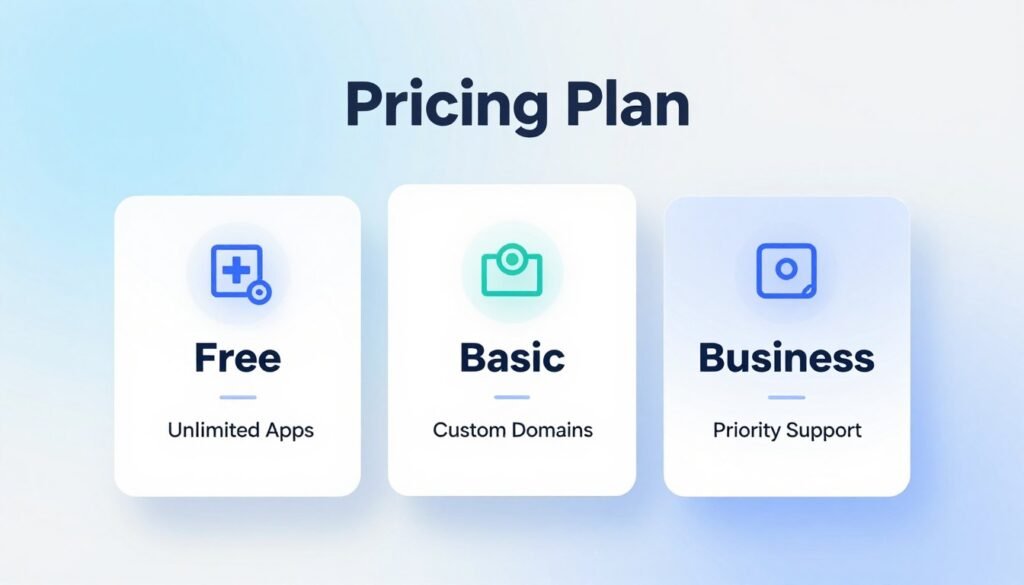
Your choice depends on project scale, required integrations, and data volume. Understanding the limits and costs upfront prevents surprises later. This breakdown covers each tier in detail.
Free Plan: Testing and Prototyping
The Free plan is ideal for learning and prototyping. It allows one published app with the builder’s branding displayed. You get access to core blocks and templates.
Limitations include a single data source connection and a cap on displayed records. This tier is perfect for testing concepts before committing funds. It serves as a hands-on demo of the platform.
Basic and Professional Tiers for Growing Use
The Basic plan starts at $59 per month with annual billing. It supports three apps and a custom domain. You connect more data sources and gain basic user roles.
This tier suits small teams launching client portals or simple internal tools. It removes branding for a cleaner look. The Professional tier is where serious business use begins.
Priced at $167 per month, it allows ten apps and advanced integrations. A key feature is publishing Progressive Web Apps (PWAs). This is the minimum plan for a live, branded PWA.
You also unlock workflow automation and API access. It supports more complex databases and records. This tier fits agencies and growing companies.
Business Plan for Advanced Features
The Business plan costs $323 per month annually. It expands limits to twenty-five apps and includes priority support. You receive personalized onboarding and higher data allowances.
This tier is for organizations running multiple, critical applications. It offers white-glove service for scaling operations. All paid plans offer savings with annual billing.
Choosing monthly billing increases costs by roughly 20%. The annual discount makes long-term projects more economical. Always compare your project’s scale to the pricing structure.
Every tier imposes record limits per app and data source. Data-heavy applications may hit these caps quickly. Review these limits against your use case.
Features like advanced roles, automation, and custom code unlock at higher tiers. Competitor platforms may bundle a native database, affecting total cost. Map your needs carefully to select the right plan.
This approach avoids unexpected costs and ensures your chosen builder can deliver. The pricing is transparent, allowing for informed decisions without writing code.
Who is Softr Best Suited For?
This platform excels in a specific niche: empowering non-technical teams to turn their existing data into actionable web tools quickly. The ideal user is not a professional developer but a business owner or team lead with operational information already organized.
Success hinges on having a well-structured data source ready to connect. Teams with limited technical resources but clear process needs benefit the most.
It fills the gap for rapid, database-driven web app development for practical business problems. The following profiles highlight where this builder delivers maximum value.
Small Businesses with Existing Databases
Small to medium businesses that already use Google Sheets or Airtable for core operations are perfect candidates. They have the data but lack the tools to make it interactive and secure.
A marketing agency can build a client portal to share reports. A startup can create an internal project dashboard from a spreadsheet. A consultant can make a live lead tracker.
The platform extends the utility of these existing databases without coding. It is a powerful solution for turning static spreadsheets into functional business apps.
Teams Needing Quick Internal Tool Deployment
When development speed is critical, and a “good enough” user interface is acceptable, this tool shines. It is designed for rapid deployment of operational tools.
Internal processes like inventory management, employee directories, or approval workflows can be streamlined in days. Departments within larger enterprises, educational settings, and non-profits find great value here.
The combination of pre-built templates and a drag-and-drop interface accelerates building. Teams prioritize getting a working app live over deep customization.
Use Cases Where Web-Only Access is Sufficient
The applications created are web-based. This is ideal for use cases where all users can access the tool via a browser.
Client portals, internal CRMs, and project trackers are classic examples. Native app store presence is not required for these business scenarios.
It is not suited for public-facing mobile apps or complex consumer SaaS products. Projects requiring pixel-perfect, brand-specific design may find the block-based system limiting.
For practical business problems solved through a browser, this platform is a strong fit. It turns data into secure, interactive tools with remarkable speed.
How Softr Compares to Other No-Code Platforms
Your project’s success often hinges on choosing between platforms designed for web apps versus native mobile apps. The no-code market has several strong contenders, each with distinct strengths.
Comparing leading builders highlights key differences in output, design freedom, and data handling. This analysis helps you match the right tool to your specific goals.
Softr vs. Adalo: Web Apps vs. Native Mobile Apps
The most fundamental difference is the type of application you can build. This platform creates web applications and Progressive Web Apps (PWAs). Adalo, in contrast, builds true native mobile apps for iOS and Android.
Adalo’s output can be published directly to the Apple App Store and Google Play Store. This gives it a major advantage for projects requiring app store distribution and push notifications.
Your choice here dictates your potential audience. If you need a public-facing mobile app, Adalo is the better path. For internal tools accessed via a browser, the web-only approach works well.
Their database approach also differs. This builder requires an external database like Airtable. Adalo provides an integrated, built-in database system. This simplifies setup for new projects.
Design flexibility is another key contrast. Adalo offers a free-form canvas for pixel-level control. This platform uses structured blocks and templates for faster building.
Pricing reflects these capabilities. Adalo’s plans start lower, around $36 per month, for publishing native mobile apps with unlimited records. This can be more cost-effective for certain use cases.
Softr vs. Bubble: Simplicity vs. Customization Depth
This comparison frames a classic trade-off: speed versus power. This platform is optimized for simplicity and rapid development. Bubble is engineered for nearly unlimited customization and complex logic.
Bubble can build sophisticated, multi-user applications with intricate workflows. It includes a powerful native database and a full visual programming interface. This comes with a much steeper learning curve.
The block-based interface here is far easier to master. You can deploy applications in hours. Bubble projects often require weeks or months of development time.
For business teams needing quick internal tools, the simpler platform is often sufficient. For a complex marketplace or a unique SaaS product, Bubble’s depth is necessary.
Other alternatives like Bildr also offer more visual design control than structured block systems. They sit somewhere between these two poles.
Pricing is another factor. This builder’s Professional plan is comparable in cost to Adalo’s and Bubble’s premium tiers. The capabilities, however, are vastly different.
Choosing the Right Platform for Your Project
The “best” platform depends entirely on your project’s core requirements. You must weigh three primary factors: mobile reach, application complexity, and development speed.
Choose this platform for quick internal tools, client portals, and data-driven web apps. Its template-driven approach gets secure applications live fastest.
Select Adalo when your project demands a true native mobile presence in app stores. It is ideal for consumer-facing mobile apps that utilize push notifications.
Opt for Bubble when you need to build a highly complex, custom web application. It suits projects where design freedom and intricate logic are non-negotiable.
Your existing databases and team skill set also influence the decision. This analysis provides a clear framework for your evaluation. The right choice aligns the tool’s strengths with your specific outcome.
Making the Decision: Is Softr Right for Your Project?
Deciding on the right app builder requires a clear-eyed assessment of your project’s non-negotiable requirements. This platform is a powerful tool, but it excels within a specific set of parameters.
Your choice hinges on answering a few critical questions honestly. These questions form a simple decision-making framework to guide your evaluation.
Evaluating Your Database and Mobile App Needs
Start with the most decisive question. Do you need your finished app in the iOS and Android app stores? If the answer is yes, this is not the right platform.
It builds web applications and Progressive Web Apps. These are accessed via a browser link. For internal teams or B2B clients, this is often perfect.
For public-facing consumer apps, a native mobile presence is usually required. In that case, alternatives like Adalo become compelling.
Next, inventory your existing data assets. This builder requires an external database like Airtable or Google Sheets to function.
If your information is already organized in a compatible data source, you have a strong foundation. If not, you must factor in the cost and effort to set one up.
Finally, consider your user audience. Are they internal employees comfortable with a web link? Or are they external consumers expecting a native app experience?
Balancing Speed of Development Against Design Control
This platform prioritizes speed and simplicity. You must decide if that trade-off works for your project.
Are you okay with a template-based, functional user interface? Or is custom, pixel-perfect branding paramount? The block-based system offers less creative freedom than a free-form canvas.
Weigh the priority of rapid building against the need for granular control. You can deploy tools in days here. Achieving the same in a more complex builder could take months.
Evaluate long-term scale. Review the pricing plans and their limits on displayed records. Data-heavy applications might hit these caps.
Calculate the total cost. Include the subscription fee and any required external database service. Compare this to all-in-one platforms that bundle storage.
The best next step is hands-on testing. Use the generous free plan to prototype your core idea. This gives you a real feel for the learning curve and interface.
If your needs fall outside its strengths—like needing native apps or deep design control—explore alternatives immediately. Adalo is a strong choice for native mobile applications.
This tool is highly effective for a specific set of use cases. Choosing it means embracing its philosophy of simplicity and speed over unlimited customization.
Conclusion
For organizations sitting on valuable data but lacking development resources, a new path to operational apps exists.
This no-code platform delivers remarkable speed. Teams can turn spreadsheets into secure web applications without writing any code. Its drag-and-drop interface and extensive template library make building intuitive for non-technical users.
Key limitations include no native mobile app publishing. It also requires an external database. Design freedom is structured around pre-built blocks.
For small businesses needing quick internal tools or client portals, it’s an excellent choice. Test the free plan to see if your use case aligns. For the right project, this builder accelerates digital innovation effectively.
FAQ
What kind of applications can I build with this platform?
You can create powerful business apps like client portals, internal tools, and e-commerce sites. It’s ideal for turning data from sources like Google Sheets or Airtable into fully functional web applications and mobile apps that run in a browser.
Do I need to know how to code to use it?
No, you do not need any coding skills. The platform uses a visual, drag-and-drop interface with pre-built blocks. This approach offers an intuitive builder with a very low learning curve, making building accessible for entrepreneurs and teams.
Can I publish my app to the Apple App Store or Google Play?
No. This tool specializes in creating web apps and Progressive Web Apps (PWAs), not native mobile applications for iOS or Android stores. Your app will be accessible via a web browser on any device, which is sufficient for many use cases.
Where does my application’s data live?
You need an external database. The platform connects seamlessly to popular data sources like Airtable, Google Sheets, and other databases. Your data stays in your connected source, and the tool acts as the front-end interface.
What are the main benefits over other no-code platforms?
The key advantages are speed and simplicity. It’s excellent for rapid development, especially if you already have a database. Compared to tools like Bubble, it has a gentler learning curve. Versus Adalo, it focuses on robust web applications over native app stores.
What payment and user management features are included?
The platform offers integrated payments through Stripe for e-commerce and subscriptions. It also has robust user authentication, allowing you to create member-only portals and manage different role permissions to control data access.
Is there a free plan to try it out?
Yes, there is a Free Plan perfect for testing and prototyping. It includes core features with limitations. Paid plans like Basic, Professional, and Business start per month and unlock more records, custom design, and advanced workflows.