What if the key to unlocking your audience’s true thoughts has been hiding in plain sight for over two decades?
Since 1999, SurveyMonkey, this powerful survey platform, has revolutionized how businesses gather feedback. It transforms complex data collection into an intuitive process anyone can master.
SurveyMonkey offers robust creation tools with numerous question types and customization options. You can design professional surveys that capture precise responses.
Distribution happens through multiple channels, reaching global audiences instantly. Real-time analysis tools then process incoming data, turning raw answers into actionable reports.
Over 260,000 organizations trust this solution worldwide. The platform connects you to 335 million+ potential respondents across 130+ countries.
Whether you need the free plan or enterprise features, this review covers everything. We’ll explore pricing, functionality, and how it stacks against competitors.
Key Takeaways
- Founded in 1999 with extensive market experience
- Offers both free and paid plans starting at $25/month
- Global reach to 335 million+ respondents worldwide
- Real-time data collection and analysis capabilities
- Used by 260,000+ organizations across various industries
- Intuitive interface suitable for all user experience levels
- Comprehensive reporting tools for actionable insights
Introduction to SurveyMonkey: The Survey Powerhouse
Ever wonder how top companies get such clear insights from their audiences? The answer lies in powerful survey technology that has evolved over decades.
SurveyMonkey stands out through its advanced AI capabilities and massive reach. It transforms complex research into simple, actionable data.
What Makes This Platform Stand Out
The software offers AI-powered survey creation that suggests questions based on your goals. This saves time and improves your data quality.
You get access to 500+ expert-designed templates. These cover everything from customer satisfaction to market research.
SurveyMonkey connects you to 335 million+ potential respondents worldwide. This global reach ensures diverse and representative feedback.
Advanced pattern recognition tools automatically analyze responses. They identify trends and insights you might miss manually.
Integration with 200+ business tools streamlines your workflow. Connect to CRM systems, email platforms, and analytics software.
Who Should Use This Platform
Businesses of all sizes benefit from these survey tools. Startups use the free version while enterprises need advanced reporting.
Market researchers gain access to massive audience panels. They can conduct competitive analysis and consumer studies.
HR departments measure employee engagement and collect feedback. The platform helps improve workplace satisfaction and retention.
Educators and academic researchers use it for studies and course evaluations. The analysis tools simplify complex data interpretation.
Event managers handle registrations and gather attendee feedback. Real-time response tracking helps improve future events.
Customer support teams measure satisfaction and identify service gaps. The software provides immediate insights into client experiences.
Getting Started with SurveyMonkey
Ready to turn curiosity into actionable data? Your journey begins with a simple account setup.
The platform offers immediate access to powerful survey tools. You can start collecting feedback within minutes of registration.
Account Creation Process
Creating your account takes less than two minutes. Visit the website and enter your email address.
You’ll receive a confirmation email to verify your account. Click the link to activate your free version.
The Basic free plan provides unlimited survey creation. You get 25 responses per survey at no cost.
This plan supports essential data collection needs. It’s perfect for testing the platform’s functionality.
Navigating the Dashboard
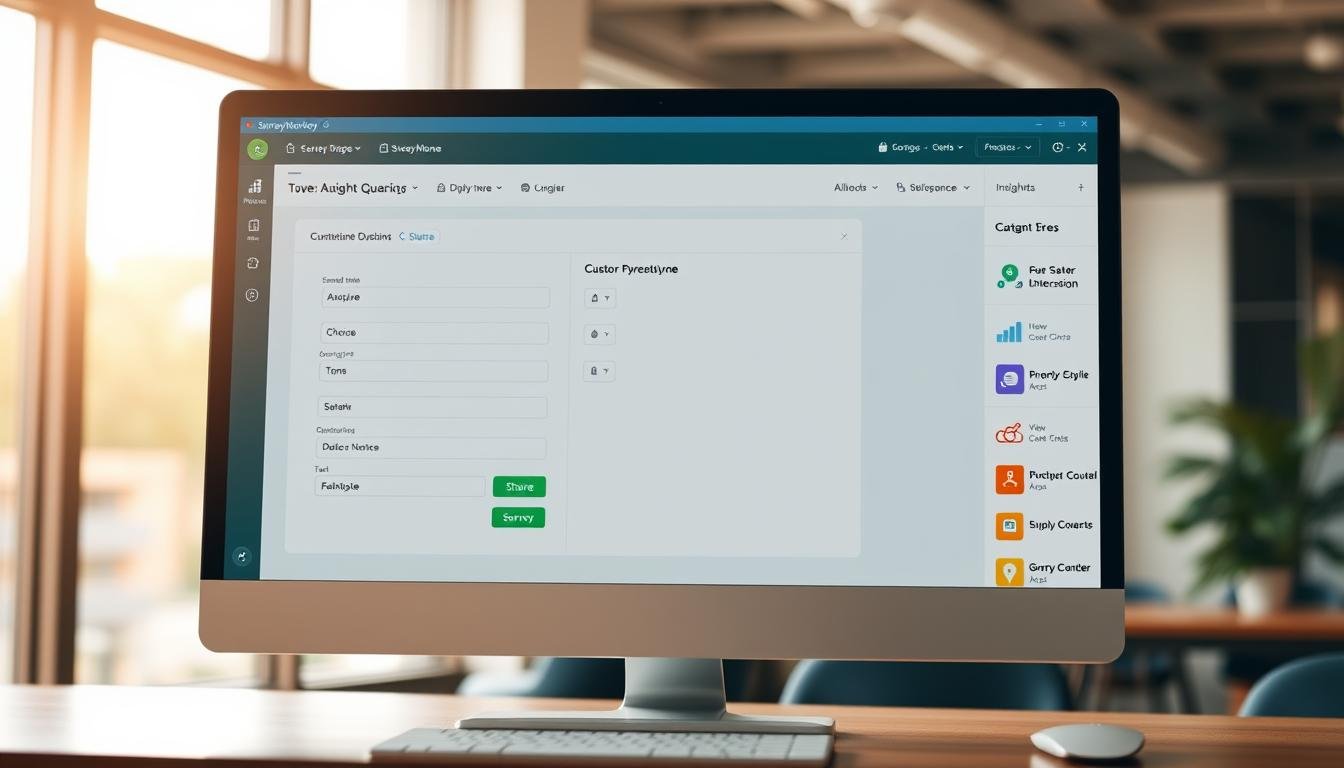
Your dashboard appears immediately after account verification. The clean interface makes navigation intuitive.
Access hundreds of templates from the main page. Filter by industry, purpose, or question type.
The AI prompt feature helps generate surveys quickly. Describe your goal and receive tailored question suggestions.
Real-time response tracking begins immediately. Watch answers arrive as participants complete your survey.
Basic analysis tools are available in the free version. View charts and graphs of your incoming data.
Manage all your surveys from one central location. Duplicate, edit, or share projects with ease.
Customization options let you adjust colors and logos. Maintain brand consistency across all your surveys.
Upgrade anytime to access more responses and features. Paid plans remove the 25-response limit per survey.
Core SurveyMonkey Features and Tools
Imagine creating professional surveys without spending hours on design. SurveyMonkey’s advanced tools make this possible through smart automation and intuitive interfaces.
AI-Powered Survey Creation
Describe your research goal in plain English. The AI engine instantly generates complete surveys with relevant questions.
This smart tool understands survey intent and context. It structures questions logically to gather the best data.
AI-created surveys match manual creation quality. They include proper formatting and professional wording.
Template Library and Customization Options
Access 500+ ready-to-use templates across multiple categories. Find options for customer satisfaction and employee feedback.
Market research templates help analyze industry trends. Each template offers full customization options.
Change colors, fonts, and logos to match your brand. Adjust question types and layouts to suit your needs.
Real-Time Response Tracking
Watch answers arrive as people complete your survey. The dashboard updates instantly with new responses.
Monitor completion rates and response patterns. Track how many people finish versus drop out.
Skip logic features show different questions based on answers. This creates personalized survey experiences.
Multilingual support reaches global audiences. Mobile-responsive designs work on all devices.
Advanced reporting tools turn raw data into visual reports. Charts and graphs make analysis easy.
Designing Professional Surveys
What separates amateur questionnaires from professional research instruments is often just a matter of design choices. The right structure and presentation dramatically improve response quality and completion rates.
Question Types and Formatting Options
SurveyMonkey offers comprehensive question formats to capture different data types. Multiple choice questions include both single-select and multi-select options.
Rating scales provide measurable feedback through star ratings and Likert scales. These tools help quantify subjective experiences and opinions.
Open-ended text fields allow detailed qualitative feedback. Comment boxes capture rich, narrative responses from participants.
Matrix questions organize related items into efficient grid formats. This approach saves space while maintaining clear question structure.
Ranking questions help prioritize options based on preference. Demographic questions classify respondents by key characteristics.
Advanced formatting includes conditional logic that changes questions based on previous answers. Page branching creates customized survey paths for different respondents.
Randomization features prevent order bias in responses. Questions and answer options can shuffle to ensure unbiased data collection.
Branding and Customization Capabilities
Professional surveys maintain consistent brand identity throughout. Custom logo placement reinforces brand recognition with every response.
Color scheme customization matches your organizational branding. Theme options create visually appealing survey experiences.
Font and styling controls ensure readability and aesthetic consistency. These customization options work across all device types.
Enterprise users access custom CSS for complete design control. This allows pixel-perfect brand alignment in every survey.
The free version includes basic branding options for small projects. Paid plans unlock advanced customization features for professional use.
These design features create surveys that respondents take seriously. Professional presentation encourages thoughtful, complete responses.
Distribution and Data Collection Methods
How do you reach your audience once your survey is ready? SurveyMonkey offers multiple distribution channels to gather responses quickly.
You can share your survey through email invitations with custom templates. These templates include your branding and personalized messages.
Direct link sharing provides a simple URL for quick distribution. You can customize these links for different audience groups.
Social media integration connects to all major platforms. Share your survey directly to Facebook, Twitter, and LinkedIn.
Sharing Options and Integration Capabilities
Website embedding lets you place surveys directly on your pages. Responsive iframes ensure proper display on all devices.
QR code generation creates scannable codes for print materials. This feature bridges digital surveys with physical access points.
The software integrates with 200+ business tools and platforms. Connect to CRM systems like Salesforce and HubSpot.
Marketing platform connections sync data automatically. This saves time and reduces manual data entry.
Analytics tool integrations enhance your data processing. Get deeper insights by connecting to your preferred analysis software.
Mobile Responsiveness and Accessibility
Mobile-responsive designs ensure perfect display on smartphones. Your survey adapts to different screen sizes automatically.
Tablet compatibility maintains full functionality on larger devices. The interface remains intuitive across all platforms.
Accessibility features support users with disabilities. Screen reader compatibility and keyboard navigation are included.
Cross-device compatibility provides a consistent experience. Respondents get the same smooth process on any device.
This mobile-first approach maximizes response rates. People can answer questions anytime, anywhere.
Analyzing Results with SurveyMonkey
Collecting responses is just the beginning. The real value comes from transforming raw answers into meaningful insights.
SurveyMonkey offers powerful tools to analyze your data. You can spot trends and patterns that drive better decisions.
Reporting and Data Visualization Tools
The dashboard shows real-time updates as responses come in. Watch your completion rates and response counts change instantly.
Choose from multiple chart types to display your data. Bar graphs and pie charts make complex information easy to understand.
Cross-tabulation features let you compare different groups. See how answers vary by age, location, or other demographics.
Filter results based on specific criteria. Segment your data to find hidden patterns and insights.
Export your reports in various formats. Save as CSV, Excel, PDF, or SPSS files for further analysis.
The free version includes basic reporting features. Paid plans unlock advanced visualization options.
AI Insights and Pattern Recognition
Artificial intelligence automatically scans all responses. It identifies common themes and sentiment in open-ended answers.
The software highlights key findings automatically. You quickly see the most important results without manual searching.
Pattern recognition detects trends across multiple surveys. Track changes over time with longitudinal analysis tools.
Sentiment analysis measures emotional tone in text responses. Understand how people feel about your topics.
Statistical testing validates your results. Ensure your findings are significant and reliable.
Response quality indicators flag potentially invalid answers. Maintain data integrity throughout your analysis process.
Comparative analysis shows differences between survey waves. Measure progress and identify areas for improvement.
User Experience: What Customers Really Think
Customer feedback reveals the true value of any survey platform. Real users share their experiences with the software’s functionality and limitations.
Thousands of reviews highlight both strengths and weaknesses. These insights help potential users make informed decisions.
Positive Feedback and Success Stories
Many users praise the platform’s intuitive interface. They find the survey creation process straightforward and efficient.
The real-time results feature receives consistent positive feedback. Users appreciate watching responses arrive as they complete the survey.
Comprehensive reporting tools help users analyze data effectively. The software generates clear visual reports that simplify complex information.
Success stories come from various industries and organization sizes. Small businesses and large enterprises both achieve measurable results.
The template library saves significant time during survey design. Users find professionally designed questions that fit their specific needs.
Customization options allow for brand-consistent survey experiences. This professionalism increases response rates and data quality.
Common Complaints and Limitations
The free version’s response limits frustrate many users. Collecting only 25 responses per survey restricts meaningful data collection.
Some users report device recognition issues during login attempts. These technical problems can delay survey distribution and data collection.
Customer support challenges appear in numerous negative reviews. Users experience difficulty reaching timely assistance for urgent issues.
Hidden fees and pricing transparency concerns surface regularly. Some users encounter unexpected charges after upgrading their plans.
The basic plan lacks advanced features available in paid versions. This limitation affects users needing more sophisticated analysis tools.
Billing problems and payment processing issues occasionally occur. These administrative hurdles disrupt the overall user experience.
Quality control concerns include respondent validation challenges. Some surveys receive incomplete or unreliable answers from participants.
SurveyMonkey Pricing Structure Explained
Understanding the cost structure helps you choose the right plan for your needs. Each tier offers different capabilities and value.
SurveyMonkey provides options for every budget and requirement. You can start free and upgrade as your needs grow.
Free Plan Limitations
The Basic free plan lets you create unlimited surveys. This is perfect for testing the platform’s functionality.
However, you can only collect 25 responses per survey. This limit restricts larger data collection projects.
The free version lacks advanced reporting and analysis tools. You get basic charts but no cross-tabulation features.
Customization options are limited in the free tier. You cannot add your logo or use custom themes.
This plan works well for small projects and personal use. Serious research requires upgrading to paid options.
Individual and Team Plans
Individual plans start at $99 per month. This removes the 25-response limit per survey.
You unlock advanced features like skip logic and question piping. These tools create more sophisticated survey experiences.
Team plans begin at $25 per user monthly. This tier adds collaboration features for groups.
Multiple users can work on surveys simultaneously. You get shared templates and centralized billing.
Both plans include enhanced reporting capabilities. Export data in multiple formats for deeper analysis.
Enterprise Solutions
Enterprise solutions offer custom pricing based on needs. Large organizations get volume discounts.
This tier includes advanced security and compliance features. Meet regulatory requirements for data protection.
Admin controls help manage multiple users and permissions. Set different access levels across your organization.
Dedicated support ensures quick resolution of any issues. Get priority assistance from technical experts.
All paid plans remove response limits entirely. Collect as much data as your research requires.
The platform scales with your growing survey needs. Choose the right tier for your current and future projects.
Key Advantages of Using SurveyMonkey
The true measure of any data collection tool lies in its core advantages and unique capabilities. This platform delivers exceptional value through intuitive design and powerful functionality.
Users gain access to comprehensive features that streamline the entire survey process. The software supports both simple feedback collection and complex research projects.
Ease of Use and Learning Curve
The interface offers exceptional ease of use for all experience levels. New users can create their first survey within minutes of account creation.
The shallow learning curve enables quick adoption across organizations. Team members require minimal training to utilize the platform effectively.
Intuitive design elements guide users through the survey creation process. Clear navigation makes finding tools and features straightforward.
Even complex research projects feel manageable with this software. The system simplifies advanced functionality through smart design choices.
Global Audience Panel Access
Access to 335 million+ respondents worldwide represents a massive advantage. This reach spans across 130+ countries with diverse demographic representation.
Demographic targeting capabilities ensure precise audience selection. Researchers can filter respondents by age, location, income, and other criteria.
The global panel provides rapid response collection for time-sensitive projects. Large sample sizes become achievable within short timeframes.
Geographic diversity supports international research initiatives. Multicultural studies benefit from truly global participant pools.
Integration Ecosystem
Over 200 connected tools create a powerful integration ecosystem. This extensive connectivity enables seamless workflow automation.
Data synchronization across platforms eliminates manual transfer requirements. Information flows automatically between systems for efficient processing.
Enterprise-grade security measures protect sensitive research data. Advanced protocols ensure compliance with international regulations.
The platform maintains excellent reliability with minimal downtime. Continuous improvements and feature updates enhance functionality over time.
Scalability supports organizations of all sizes as their needs evolve. The system grows alongside research requirements without limitations.
Notable Limitations and Drawbacks
Every powerful tool has its constraints. While this survey platform offers impressive functionality, users should understand its limitations before committing.
Some restrictions affect data collection and user experience. Others impact technical access and support options.
Being aware of these drawbacks helps set realistic expectations. You can plan your survey strategy accordingly.
Response Limits and Paywall Surprises
The free version comes with strict response caps. You can only collect 25 responses per survey before hitting paywalls.
This restriction makes large-scale data collection impossible without upgrading. Many users discover this limitation after launching their survey.
Lower-tier paid plans also have response thresholds. The basic paid option allows 100 responses per survey.
Customization options decrease significantly in free versions. You cannot add logos or use advanced design features.
Data export capabilities are limited without paid subscriptions. Free users get basic reports but lack detailed analysis tools.
These restrictions often surprise new users. They expect more functionality from the free plan based on initial impressions.
Device Recognition Issues
Technical problems sometimes disrupt the user experience. Device recognition errors require frequent troubleshooting.
Users report needing to clear browser cache regularly. This maintenance ensures proper platform functionality.
The system limits registration to 10 devices per year. Exceeding this number triggers authentication challenges.
Login problems can delay urgent survey projects. Some users experience difficulty accessing their account during critical periods.
Mobile device compatibility isn’t always seamless. Certain features work better on desktop than smartphone interfaces.
These technical limitations affect workflow efficiency. They add unexpected steps to the survey creation process.
Customer Support Challenges
Getting help can be difficult when problems arise. Support options are limited, especially for free plan users.
Response times vary significantly based on your subscription level. Free users often wait days for email responses.
Direct phone support requires premium subscriptions. Basic plan users must rely on slower communication channels.
Billing issues sometimes complicate the user experience. Payment processing problems and subscription management challenges occur.
Some users report unexpected charges after plan upgrades. Transparency in pricing structure could be improved.
These support limitations become critical during time-sensitive projects. Quick resolution isn’t always available when needed most.
Top SurveyMonkey Alternatives to Consider
Exploring other survey platforms helps you find the perfect fit for your specific needs. Different tools offer unique advantages depending on your budget and requirements.
Some alternatives provide more templates or better pricing. Others excel in integration capabilities or advanced features.
Understanding these options ensures you select the right software. Your choice should match your data collection goals and resources.
Jotform: Comprehensive Form Builder
Jotform stands out with its massive template library of 10,000+ options. This dwarfs the 500+ templates available in many other platforms.
The software offers robust payment processing capabilities. This makes it ideal for businesses needing to collect payments through forms.
You get access to 100+ integrations with popular business tools. This connectivity streamlines your workflow across multiple platforms.
Pricing starts at $34 monthly for the basic paid plan. This includes enhanced features and increased response limits.
The interface provides excellent ease of use for all experience levels. Users appreciate the intuitive design and comprehensive functionality.
Google Forms: Free Basic Solution
Google Forms offers a completely free survey solution. This makes it perfect for users with tight budgets.
The platform integrates seamlessly with Google Workspace. This connectivity benefits organizations already using Google’s ecosystem.
However, the tool has limited advanced features compared to paid options. Customization options are basic and reporting capabilities are simple.
You won’t find sophisticated analysis tools or complex question types. The free version serves basic data collection needs effectively.
This option works well for quick, simple surveys. It’s not suitable for complex research projects requiring detailed analysis.
QuestionPro: Generous Free Plan
QuestionPro provides a generous free plan with 100 responses per survey. This exceeds the basic limits of many competing platforms.
The software includes advanced features like multilingual support. This enables global data collection across different languages.
You get sophisticated analysis tools even in lower-tier plans. The reporting functionality delivers comprehensive insights from your data.
Paid plans start at $99 monthly for individual users. This pricing positions it as a premium survey solution.
The platform supports complex research methodologies. It’s ideal for academic studies and detailed market research.
Each alternative serves different user needs and budgets. Jotform excels in template variety and payment features.
Google Forms works best for simple, cost-free surveys. QuestionPro offers the most generous free response limits.
Consider your required features, budget constraints, and project scale. The right choice depends on your specific data collection goals.
Test multiple platforms to find your perfect match. Many offer free trials or basic plans for evaluation.
Conclusion: Is SurveyMonkey Right for You?
Deciding on a survey platform depends on your needs and budget. This software excels with its AI-powered creation tools and global reach. It’s ideal for businesses that need deep data analysis and real-time feedback.
Enterprises benefit from advanced security and integration features. Small teams might find the free version limiting but useful for testing. The basic plan offers a taste before committing to paid tiers.
Consider alternatives if you require completely free solutions or have tight budget constraints. For robust functionality and scalable survey projects, this tool delivers strong value. It suits organizations ready to invest in quality data collection.
Start with the free plan to explore its interface and features. Upgrade as your response volume and analysis needs grow. This approach ensures cost-effective use of the platform’s powerful capabilities.
FAQ
What is the free plan limit for responses per survey?
The free plan allows up to 100 responses per survey. After that, you must upgrade to a paid plan to view additional results.
Can I customize the look of my surveys?
Yes. You can add your logo, change colors, and use themes to match your brand. Paid plans offer more customization options.
Does it offer real-time data tracking?
Yes. You can monitor responses as they come in with live results and basic reporting tools.
Are there templates available to get started quickly?
Absolutely. There is a large template library for various use cases, helping you create professional surveys fast.
What kind of customer support is provided?
Email support is available. Higher-tier plans include phone support and dedicated account management.
Can I use it on mobile devices?
Yes. Surveys are mobile-responsive, and there is a mobile app for creating and managing on the go.
Is there a way to analyze results without upgrading?
Basic analysis is included in the free version. Advanced tools like data filtering and cross-tabulation require a paid plan.
How easy is it to share a survey with respondents?
Very easy. You can share via link, email, social media, or embed it on a website. Integration with other platforms is also supported.